
Marine / Night Vision Cameras
Marine Night Vision Camera Systems
Full-color night vision on the chartplotter you already run. Both cameras work inshore and offshore, and IR adds light for runs with no light at all.

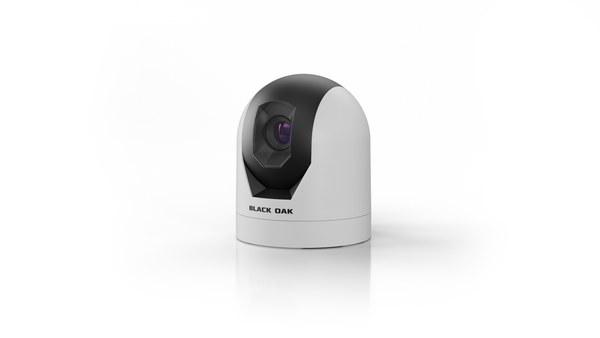
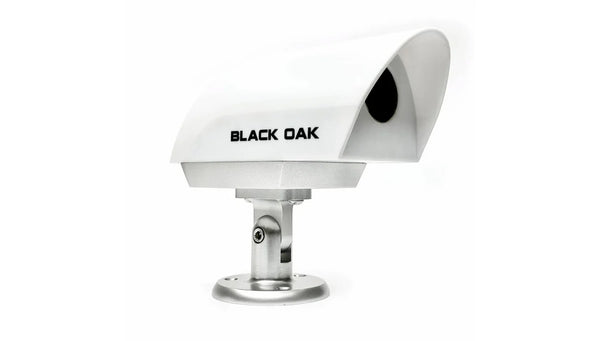
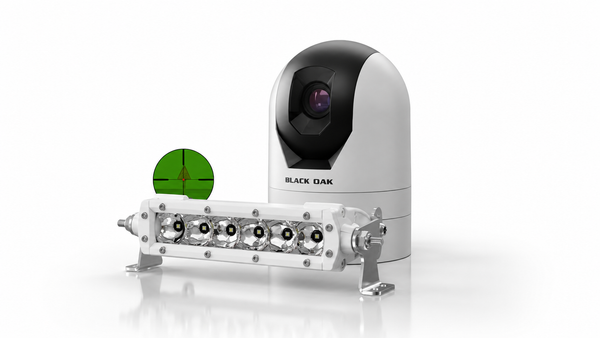
12 products
Night Vision Camera Packages
-


Nitron XD Pro | Full Color Marine Night Vision Camera
Regular price$3,743.75$2,995.00Regular priceUnit price per$3,743.75 USDSale price Price: From $3,743.75 USD
-
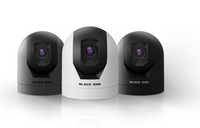


Nitron XR1 Color Night Vision Marine Camera
Regular price$1,993.75$1,595.00Regular priceUnit price per$1,993.75 USDSale price Price: From $1,993.75 USD
-
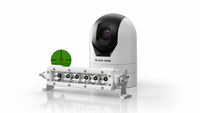


Nitron XR1 Color Night Vision Marine Camera | Enhanced IR System
Regular price$2,223.75$1,779.00Regular priceUnit price per$2,223.75 USDSale price Price: From $2,223.75 USD
-


Nitron XR1 Color Night Vision Marine Camera | Enhanced IR Plus System
Regular price$2,338.75$1,871.00Regular priceUnit price per$2,338.75 USDSale price Price: From $2,338.75 USD
-


Nitron XR1 Color Night Vision Marine Camera | Low Pro™ IR System
Regular price$2,568.75$2,055.00Regular priceUnit price per$2,568.75 USDSale price Price: From $2,568.75 USD
-


Nitron XR1 Color Night Vision Marine Camera | Low Pro™ IR Extreme System
Regular price$2,798.75$2,239.00Regular priceUnit price per$2,798.75 USDSale price Price: From $2,798.75 USD
-


Low Pro™ IR Bar | 850nm
Regular price$800.00$640.00Regular priceUnit price per$800.00 USDSale price Price: $800.00 USD
-

6 Inch 850nm Infrared Single Row Light Bar - Pro Series 3.0 - Spot
Regular price$230.00$184.00Regular priceUnit price per
-


Nitron XD Pro - Existing Customer Upgrade
Regular price$1,875.00$1,500.00Regular priceUnit price per$1,875.00 USDSale price Price: From $1,875.00 USD
-


10 Inch 850nm Infrared IR Marine LED Double Row Light Bar - Black Oak LED Pro Series 3.0
Regular price$545.00$436.00Regular priceUnit price per$545.00 USDSale price Price: $545.00 USD
-


20 Inch 850nm Infrared IR Marine LED Double Row Light Bar - Black Oak LED Pro Series 3.0
Regular price$760.00$608.00Regular priceUnit price per$760.00 USDSale price Price: $760.00 USD
-


2 Inch 850nm Infrared IR Marine POD Light - Black Oak LED Pro Series 3.0
Regular price$145.00$116.00Regular priceUnit price per$145.00 USDSale price Price: $145.00 USD


- Free ShippingOn orders over $50
- 30-Day Money-Back Guarantee
- Designed and assembledin Sarasota, Florida
Complete the system
Light up the rest of the boat
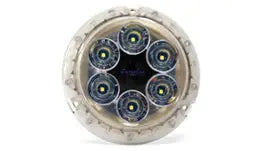
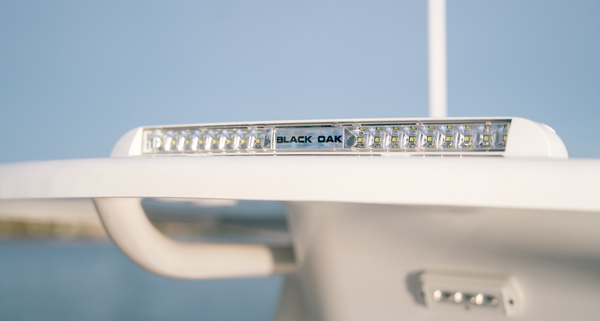
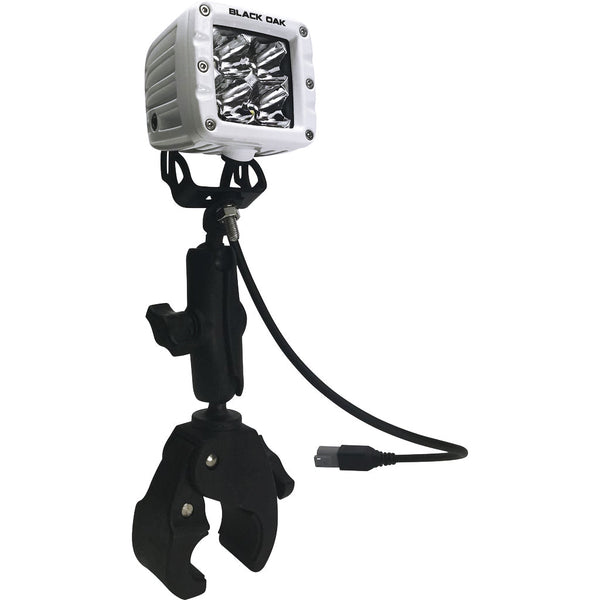
A night vision camera shows you what is out there. Black Oak marine lights, all IP69K sealed and designed and engineered in Sarasota, Florida, light the deck, the water and the way ahead.
Shop marine lighting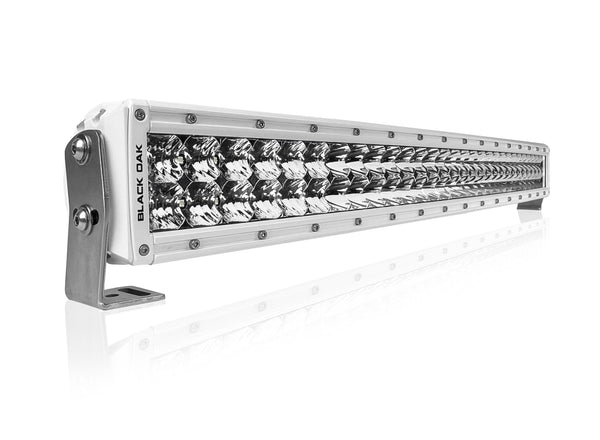
Will it work with my display?
Every Nitron comes with HDMI or analog (BNC) video. If your display takes both, choose HDMI for the best picture.
Not sure of your model? Text a photo of your helm to 941-408-5516 and we will tell you. See the full chart of 241 models.
Pick your brand and model to see which camera version to order and whether you need any other cable. Our full chart covers 241 Garmin, Simrad, Raymarine, Furuno, B&G, Lowrance and Humminbird displays from the last 10 years.

Garmin, Simrad, Raymarine, Furuno, B&G, Lowrance and Humminbird are trademarks of their respective owners. Black Oak LED is not affiliated with these manufacturers.
XR1, XR1 + IR or XD Pro: side by side
| Feature | Nitron XR1 | XR1 + IR Package | Nitron XD Pro |
|---|---|---|---|
| Price | From $1,595 | From $1,779 | From $2,995 |
| Best for | Inshore, coastal and offshore runs. Strong full-color picture at a lower price | Runs with no moon, shore or dock light | The best picture we make, and the darkest nights offshore |
| Field of view | 42° horizontal | 42° horizontal | 50° horizontal |
| Low light | Ultra low-light color sensor | Ultra low-light color sensor plus an 850nm IR light | Our most sensitive sensor: about twice the XR1, rated to 0.0000025 lux |
| Video to your display | HDMI (recommended) or Analog (BNC). Video up to 4K | HDMI (recommended) or Analog (BNC). Video up to 4K | HDMI (recommended) or Analog (BNC). Video up to 4K |
| Mounting | Upright or undermount | Upright or undermount | Standard 2 in or tall 4 in upright, or undermount |
| Housing colors | White, black or gray (gray is upright only) | White, black or gray (gray is upright only) | White or black |
| Waterproof rating | IP67 | IP67 camera | IP69K |
| In the box | Camera, 25 ft harness ending in HDMI or BNC, hardware. Analog version adds a BNC to RCA adapter | Camera, 25 ft harness ending in HDMI or BNC, hardware, IR light. Analog version adds a BNC to RCA adapter | Camera, 25 ft harness ending in HDMI or BNC, 5 A inline fuse, aluminum mount, stainless screws, dielectric grease. Analog version adds a BNC to RCA adapter |
| Power | 12V DC, 5 A fuse | 12V DC, 5 A fuse | 12V DC, 5 A fuse |
| Warranty | 2 years, 30-day money back | 2 years, 30-day money back | 2 years, 30-day money back |
- Best for
- Inshore, coastal and offshore runs. Strong full-color picture at a lower price
- Field of view
- 42° horizontal
- Low light
- Ultra low-light color sensor
- Video to your display
- HDMI (recommended) or Analog (BNC). Video up to 4K
- Mounting
- Upright or undermount
- Housing colors
- White, black or gray (gray is upright only)
- Waterproof rating
- IP67
- In the box
- Camera, 25 ft harness ending in HDMI or BNC, hardware. Analog version adds a BNC to RCA adapter
- Power
- 12V DC, 5 A fuse
- Warranty
- 2 years, 30-day money back
- Best for
- Runs with no moon, shore or dock light
- Field of view
- 42° horizontal
- Low light
- Ultra low-light color sensor plus an 850nm IR light
- Video to your display
- HDMI (recommended) or Analog (BNC). Video up to 4K
- Mounting
- Upright or undermount
- Housing colors
- White, black or gray (gray is upright only)
- Waterproof rating
- IP67 camera
- In the box
- Camera, 25 ft harness ending in HDMI or BNC, hardware, IR light. Analog version adds a BNC to RCA adapter
- Power
- 12V DC, 5 A fuse
- Warranty
- 2 years, 30-day money back
- Best for
- The best picture we make, and the darkest nights offshore
- Field of view
- 50° horizontal
- Low light
- Our most sensitive sensor: about twice the XR1, rated to 0.0000025 lux
- Video to your display
- HDMI (recommended) or Analog (BNC). Video up to 4K
- Mounting
- Standard 2 in or tall 4 in upright, or undermount
- Housing colors
- White or black
- Waterproof rating
- IP69K
- In the box
- Camera, 25 ft harness ending in HDMI or BNC, 5 A inline fuse, aluminum mount, stainless screws, dielectric grease. Analog version adds a BNC to RCA adapter
- Power
- 12V DC, 5 A fuse
- Warranty
- 2 years, 30-day money back
Prices shown are the current sale price for the base configuration. Your final price depends on the video output, mount and IR options you pick on the product page.Own the original Nitron XD? Upgrade to the XD Pro.
What is in the box, and what else you might need
In the box
- The camera, built for upright or undermount as ordered
- 25 ft harness with a video connector on the end: an HDMI connector on the HDMI version or a standard BNC (coax) connector on the Analog version
- Analog version only: a BNC to RCA adapter, for displays that take RCA video
- Mounting hardware (#8 x 1-1/4 in stainless screws)
- XD Pro adds a 5 A inline fuse, anodized aluminum mount and dielectric grease
You do not need a separate monitor, an app or a subscription if your display has a video input.
You may also need
- The display maker's video cable, on some modelsSimrad NSS evo2, evo3 and evo3S, and B&G Zeus3, take video through the video/data cable, part 000-00129-001. Lowrance HDS displays take analog video through the Lowrance Video Adapter Cable, part 000-11010-001. Humminbird APEX takes HDMI through cable 720119-1. Most Garmin GPSMAP and Raymarine Axiom Pro and XL units need nothing extra. Check your exact model.
- A 12V DC circuitThe camera runs on 12V DC on a 5 A fuse. Wire it to a switched circuit at the helm.
- An IR light for no-light runsIR pairs with either camera. Pick an XR1 IR package, or add the Low Pro IR bar to an XD Pro or a camera you already own.
- The undermount versionIf the camera will hang upside down under a T-top or hardtop, order undermount. We build it for inverted mounting. Most displays cannot flip the picture on their own.
Do you need IR, and where does it go?
Near shore, usually not. The camera works with the light from the moon, the stars, shore and docks. If you run offshore where there is no ambient light, our team recommends adding an IR light, and it pairs with either camera, the XR1 or the XD Pro. Infrared is invisible to your eyes but bright to the camera, so it lights the water ahead on your screen without wrecking your night vision at the helm.
The mounting rule: keep the IR light behind the camera
Never mount an IR light, or a white light bar, in front of the lens. Light that spills across the lens or bounces back off the hardtop, rails or bow shows up on your screen as glare and can wash out the picture. Stack them instead, so the light shines forward and the camera looks past it.
Aim the IR the same direction as the camera and keep the beam off the bow, rails and windshield. Turn everything on at the dock at night before you drill.
IR packages and add-ons
| Package | IR light included | Approximate reach | Good for | Price | Shop |
|---|---|---|---|---|---|
| Enhanced IR | One 6 in single row 850nm IR bar | About 100 to 150 m | Bays, inshore and marinas | From $1,779 | Shop package |
| Enhanced IR Plus | Two 6 in single row 850nm IR bars | About 150 to 200 m | Wider coverage inshore | From $1,871 | Shop package |
| Low Pro IR | Low Pro 850nm IR bar | About 200 to 250 m | Offshore runs and larger boats | From $2,055 | Shop package |
| Low Pro IR Extreme | Low Pro IR bar plus a 6 in IR bar | 250 m and beyond | Maximum reach and spread | From $2,239 | Shop package |
| XD Pro + Low Pro IR Bar | Low Pro 850nm IR bar, added to your XD Pro | Ask us for your boat | Far offshore on the darkest nights | IR bar $640 | Shop IR bar |
| Already own a Nitron? | Add the Low Pro 850nm IR bar to the camera you have | Ask us for your boat | XR1 or XD Pro owners | IR bar $640 | Shop IR bar |
Reach is the approximate distance the IR lights the scene for the camera. Real-world reach depends on conditions. You can also pick the XR1 IR options right on the XR1 page. For an XD Pro with IR, add the Low Pro IR bar or call 800-348-1287 and we will match the light to your boat.
One honest limit: no night vision camera sees through fog. In fog, slow down and use your radar.
See it working
Nitron XR1 video
Nitron XD Pro video
Understanding Marine Night Vision Technology
A marine night vision camera is a low-light color camera built for the boat. The Nitron uses an ultra low-light sensor that gathers the faint light from the moon, the stars, shore and docks and turns it into a color picture on your chartplotter or MFD. Add an 850nm infrared light and the camera can see the water ahead even when there is no ambient light at all, because infrared is invisible to your eyes but bright to the sensor.
On the water the camera has to live with salt spray, washdowns, vibration and heat. The XR1 housing is rated IP67 and the XD Pro is rated IP69K, and both run on the boat's 12V DC system.
Why Night Vision for Boats
At night your eyes give up long before the water gets empty. A night vision camera helps you spot channel markers, pilings, docks, other boats and floating debris that your eyes and your running lights miss, so you have more time to slow down or change course. It works alongside your radar: radar tells you something is out there, the camera helps you see what it is.
Because the picture is in full color, red and green markers look red and green, and a lit vessel looks like a lit vessel. You navigate without blinding spotlights, and your crew keeps its night vision.
Marine Night Vision vs Thermal Imaging
A thermal camera shows heat differences. On the water, that works against you at the times boaters run most: around dawn and on calm nights, the water, the air and a channel marker or floating log can all sit at nearly the same temperature, and a thermal picture loses the contrast it needs. A low-light color camera does not depend on temperature. It shows you the actual scene, in color, with the detail to tell a marker from a buoy.
Thermal still has its place, such as spotting a warm body in cold water. For everyday navigation, fishing and cruising after dark, a color low-light camera paired with IR gives you a picture you can read at a glance.
Choosing the Best Marine Night Vision Camera System
Start with five questions:
- What display do you run? Its video input, analog (BNC) or HDMI, decides which camera version you order. If it has HDMI, choose HDMI for the best picture. Check your model on our compatibility chart.
- Where do you run at night? Both cameras work inshore and offshore. For the best picture and the darkest nights, choose the XD Pro. For runs with no moon, shore or dock light, add IR to either camera.
- How wide a view do you want? The XR1 sees 42 degrees, the XD Pro 50 degrees.
- Where will it mount? On top of the hardtop looking forward is upright. Under the T-top or hardtop is undermount.
- Where will the IR light go? Behind the camera, never in front of the lens.
Nitron Camera System Configurations
Every Nitron is assembled to order in Sarasota, Florida, and ships same or next business day. The XR1 comes as the camera alone or as a system with one of four IR packages: Enhanced IR, Enhanced IR Plus, Low Pro IR and Low Pro IR Extreme. The XD Pro comes in white or black, analog or HDMI, on a standard, tall or undermount base, and pairs with the Low Pro IR bar for runs with no light. Use the comparison and IR tables above to match a configuration to your boat, then pick the options on the product page.
Frequently Asked Questions About Marine Night Vision Cameras
Which should I buy, the Nitron XR1 or the XD Pro?
Both are full-color, ultra low-light cameras, and both work inshore and offshore. The XD Pro is the more capable camera: about twice the viewable pixels and twice the sensitivity of the XR1, rated to 0.0000025 lux, with a wider 50 degree view and video up to 4K. Choose it for the best picture and the darkest nights offshore. The XR1 (42 degree view, video up to 4K) is a strong full-color camera at a lower price. Add IR to either one for runs with no light. Still deciding? Call 800-348-1287 and tell us how you run.
Will the camera work with my chartplotter or MFD?
If your display has an analog (BNC or RCA) or HDMI video input, yes. That covers most Garmin GPSMAP, Simrad NSS and NSO, Raymarine Axiom Pro and XL, Lowrance HDS, Furuno TZtouch and B&G Zeus3 displays. Displays with no video input, or network-only camera inputs, such as Garmin ECHOMAP, Simrad NSX and Humminbird SOLIX and HELIX, will not work. Our compatibility chart lists each model, or text a photo of your helm to 941-408-5516 and we will confirm.
Do I need the Analog or the HDMI version?
Match your display's video input. If your display has an HDMI input, order the HDMI version: it gives about twice the picture quality of analog on any display, so if your display has both inputs, choose HDMI. Displays with only analog (BNC or RCA) inputs take the Analog version. Watch for displays whose HDMI port is output only, such as Garmin GPSMAP 1243xsv and Raymarine Axiom 2 Pro; those take the Analog version.
Do I need an IR light with my camera?
Near shore, usually not; the camera works with the light from the moon, stars, shore and docks. Offshore where there is no ambient light, our team recommends adding an 850nm IR light. IR pairs with either camera: the XR1 IR packages pair the camera with the right light, and the Low Pro IR bar, currently $640, adds IR to an XD Pro or a camera you already own.
Where should I mount the camera and the IR light?
Keep the IR light behind the camera, never in front of the lens, or it can cause glare that washes out the picture. The two layouts that work best: the camera under the T-top or hardtop with the IR light on top, or the camera on top with the IR light below it. Keep white light bars out of the camera's view the same way.
Can I mount the camera upside down under my T-top?
Yes. Order the undermount version and we build the camera for inverted mounting, so the picture is right side up. Most displays cannot flip the image on their own.
What comes in the box, and is there anything else I need to buy?
You get the camera, a 25 ft wiring harness that ends in an HDMI connector or a standard BNC (coax) connector to match the version you order, and the mounting hardware. The Analog version also includes a BNC to RCA adapter for displays with RCA inputs. The XD Pro adds a 5 A inline fuse, an aluminum mount and dielectric grease. Some displays need the maker's own video cable: Simrad NSS evo2, evo3 and evo3S use part 000-00129-001, and Lowrance HDS uses part 000-11010-001. For runs with no ambient light, add IR.
Is the Nitron a thermal camera?
No. It is a low-light color camera. It shows the actual scene in color instead of heat differences, so it keeps its picture when the water and the objects on it are close to the same temperature, which is common around dawn.
Can a night vision camera see through fog?
No. No night vision camera, ours or anyone else's, sees through fog. In fog, slow down and use your radar.
Does the camera record video?
The camera sends a live picture to your display. Whether you can record it depends on your display, not the camera.
How much does a marine night vision camera cost?
The Nitron XR1 is currently $1,595, XR1 IR packages start at $1,779, and the Nitron XD Pro is $2,995. Your final price depends on the video output, mount and IR options you choose.
How fast does it ship, and what is the warranty?
Every Nitron is assembled to order in Sarasota, Florida, and ships same or next business day. Cameras carry a 2-year warranty and a 30-day money-back guarantee.
I own the original Nitron XD. Can I upgrade?
Yes. Existing Nitron XD owners can move to the XD Pro through the Nitron XD Pro Existing Customer Upgrade, currently $1,500.
Need help choosing? Call 800-348-1287 or text a photo of your helm to 941-408-5516. We will match the camera, the video input and the IR to your boat.
Call 800-348-1287